

Ever found yourself planning your weekend during a presentation? It’s common to feel disconnected when someone talks about details you don’t care about. This shows a big gap between what speakers think is interesting and what actually grabs our attention.
Events with interactive elements see a 40% boost in engagement. This isn’t just a number. It’s the difference between listening to someone talk and actually being part of the conversation.
Imagine the difference between watching a cooking show and tasting the food. When we’re not just watching but participating through live polls, we learn and connect on a deeper level.
This isn’t just about saving time for event planners. It’s about making conversations dynamic. When people are actively involved, they remember more because they’re engaged, not just there.
Review of Top Polling Apps
The world of polling apps is like a digital buffet. Some apps are like gourmet meals, while others are just fast food. Let’s explore the menu with a critical eye, like a food critic who’s seen too many overhyped restaurants.
Eventify is like the three-Michelin-star option at $50 monthly. It doesn’t just collect responses; it uses AI to match attendees. It’s like the sophisticated cousin who knows everyone’s preferences without asking.
Vevox offers a generous free sample that makes you want more. Their free plan includes real-time polling and anonymous Q&A features. It’s like having a friend who always brings the best wine to parties.
Kahoot turns presentations into game shows with suspenseful music and scoring. It’s great for educational settings but can feel out of place in formal meetings. The energy is fun, but it can lose professionalism.
Prezi offers non-linear, zoomable presentations that are like intellectual treasure maps. It’s the architectural digest of presentation platforms, beautiful but complex.
Calendly is the scheduling workhorse that’s become common. People say “just send me your Calendly” like quoting The Office. Its free plan supports one meeting type but is great for avoiding scheduling conflicts.
Whova offers white-labeled apps and lead retrieval features. It’s perfect for those who want their digital tools to match their brand perfectly.
The key is to find the right feedback tools for your needs. The best polling app isn’t just about features. It’s about using technology to enhance human connection, not replace it.
Gadgets for Instant Interaction
If our devices could talk, they’d probably complain about being overworked as social mediators. Today’s team engagement tools look more like gadgets from a spy movie than office equipment.
Mobile event apps have grown beyond just showing schedules. They now use AI to match people based on their interests and skills. It’s like professional networking, but without the awkward small talk.
Lead-scanning technology has made business cards seem old-fashioned. A quick scan turns a new contact’s details into digital info. No more paper cluttering your desk.

Interactive whiteboards have turned meeting spaces into places for teamwork. Teams can brainstorm and solve problems together, no matter where they are. Ideas flow freely on digital canvases.
Wearable feedback devices are the most interesting new thing. They check how engaged people are during talks and meetings. They show real-time data on who’s paying attention.
Hybrid event tools bring together people from different places. Someone in London can work with a team in Los Angeles easily. The tech makes distance less of an issue for teamwork.
Video conferencing tools have gotten much better. They have features like virtual hand-raising and real-time polls. These tools make remote meetings feel like they’re happening in person.
The table below shows how different team engagement tools compare:
| Tool Type | Best For | Key Feature | Engagement Level |
|---|---|---|---|
| Mobile Event Apps | Large conferences | AI networking | High |
| Interactive Whiteboards | Brainstorming sessions | Real-time collaboration | Very High |
| Wearable Feedback | Presentations | Engagement analytics | Medium |
| Hybrid Event Tools | Remote teams | Seamless integration | High |
| Video Conferencing | Daily meetings | Multiple features | Variable |
These gadgets are more than just new tech. They’re changing how we connect and work together. The right team engagement tools can turn boring meetings into exciting brainstorming sessions.
The real question is how we use these tools. Are we making connections better or just creating more distractions? It depends on whether we’re using tech to help us connect or replace it.
The best team engagement tools are the ones we don’t even notice. They help us connect without getting in the way. The best tech lets people focus on each other, not on the devices between them.
Setting up Real-Time Polls
Creating real-time polls is like organizing a flash mob. It can be either perfectly choreographed or completely chaotic. The key is to make technology work behind the scenes, not in the spotlight.
Begin with making the experience feel natural. Registration should be easy and welcoming, not invasive. Ticketing systems should run smoothly, like a well-rehearsed play.
Analytics dashboards are game-changers. They should tell stories with numbers, not just show them. Some systems reveal audience patterns like a mystery novel, while others are as useful as a Magic 8-Ball.
Allowing anonymous responses can turn shy people into honest ones. It’s like giving everyone a private voting booth where they can share their true thoughts without fear.
When you implement polling features right, the tech disappears. The focus shifts to connecting with people, not dealing with tech issues.
Here’s what makes good polling stand out:
| Feature | Amateur Implementation | Professional Execution |
|---|---|---|
| Registration | Tax-form complexity | One-click simplicity |
| Anonymous Options | Confusing toggle switches | Clear privacy controls |
| Analytics | Pretty but useless graphs | Actionable insights |
| Multi-Device Support | Mobile nightmare | Seamless experience |
The best sports apps make polling a part of the game, not a disruption. Real-time polls should blend into the action, not interrupt it.
Offline options keep the event going, even without Wi-Fi. Support for many languages makes local events global. Payment systems should be so smooth, people forget they’re spending money.
Top-notch polling systems seem magical because they meet needs before we even know we have them. The tech should enhance the experience, not steal the show.
Using Data for Better Discussions
Analytics from real-time polling give facilitators amazing powers. It’s like reading minds, but with exact numbers and patterns.
Today’s polling tools are incredible. They track everything from who signs up to how engaged people are. They show when people lose interest, usually around slide 47 of 60.
But it’s not just about who shows up. Behavioral analytics show real engagement patterns. This is different from just knowing people are there.
Session popularity data often surprises us. It shows what people really care about, not what we think they do. For example, sometimes the coffee break gets more attention than the main speaker.
But here’s the catch: data needs to be understood to be useful. It’s like having a library full of books you can’t read. You need context to make sense of it.
Live polls change everything. They allow for “responsive facilitation,” adjusting discussions based on real-time data. It’s like being a jazz musician who can improvise based on the audience.
The most powerful uses I’ve seen include:
- ROI tracking that shows how events impact business
- Real-time feedback analysis that stops misunderstandings
- Integration with CRM systems for better sales opportunities
- Organizing data for smarter future planning
I’ve seen discussions change when data shows everyone is confused. Instead of going deeper, the facilitator can address the confusion right away.
That’s the power of live polls data. It turns talking at people into talking with them. The analytics help make conversations that really matter.
Examples from Coaching
Coaching sessions with modern tools are like watching educational jazz. It’s improvisation guided by real-time feedback, not scripts. These tools turn lectures into conversations where everyone has a say.
Pear Deck’s formative assessments are like a GPS that changes routes based on traffic. Instructors can adjust their teaching on the fly. It’s like having a peek into how well students understand.
Kahoot makes learning fun by turning it into a game show. Employees compete to show they know their stuff, not just to win. It makes learning feel like a game, not a test.
Breakout session platforms are like digital campfires for small groups. They help teams solve problems together, not just share funny stories. This way, teams come up with real solutions, not just jokes.
Sports coaching apps use instant feedback to improve performance. I saw a quarterback training where every throw was analyzed right away. The coach made adjustments quickly, like a pit crew.
Role-playing platforms have changed from awkward exercises to advanced simulations. Sales teams practice with AI avatars that adjust based on their approach. The feedback is detailed, not just a simple “good job.”
Mind mapping sessions are now dynamic, not static. Strategy meetings evolve as everyone adds to the map in real-time. The final map shows the team’s collective wisdom, not just one person’s.
Interactive storytelling tools offer choose-your-own-adventure learning. Leadership training uses scenarios where choices have real effects. Learners experience cause and effect firsthand, through immediate feedback.
The key to these examples? Feedback loops without friction. The tech fades away, leaving only the learning. It’s the difference between a lecture and a real conversation.
These coaching platforms show that learning is best when feedback is immediate and relevant. They turn lectures into dialogues and solo efforts into teamwork.
Privacy and Data Handling
Think of privacy like your therapist’s notes – you’re glad they’re listening, but curious about what they’re writing. It’s a balance between getting useful insights and respecting your privacy.
Team engagement tools try to navigate this balance. The best ones focus on creating safe spaces for honest feedback. They aim for “ethical analytics” that’s useful without being intrusive.
Anonymous feedback options are key to honest opinions. Apps like Vevox let people share their thoughts without fear of being identified. It’s like a suggestion box that’s actually read, without anyone knowing who wrote it.
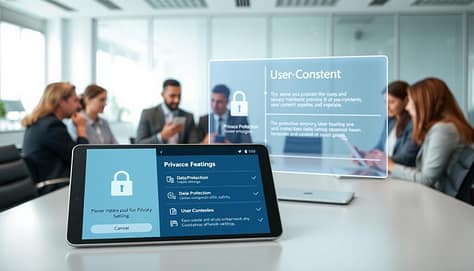
Compliance is more than just legal talk; it’s about trust. GDPR and CCPA ensure user data is treated with respect. These rules act like bouncers, controlling who gets in.
| Privacy Feature | Basic Tools | Mid-tier Tools | Premium Tools |
|---|---|---|---|
| Anonymous Participation | Limited options | Standard feature | Advanced customization |
| Data Encryption | Basic protection | Enterprise-grade | Military-grade encryption |
| GDPR Compliance | Partial compliance | Full compliance | Beyond compliance standards |
| Transparent Pricing | Hidden fees common | Clear pricing tiers | Full cost breakdown |
Transparent pricing is a sign of trustworthiness. The best tools show their costs clearly, without hidden fees. They respect your budget as much as your privacy.
Secure payment processing is key to data protection. When tools use proper security, they show they care about your data. It’s like a firm handshake and direct eye contact.
Ethical data usage shows the maturity of the market. Top platforms now put user protection first, understanding trust is more valuable than profit. They treat people as partners, not just data points, leading to better connections and results.
Conclusion
We’ve reached the end of our look into live feedback technology. The numbers are clear: 200 hours saved each year, 40% of people saying tech is key. These figures show how well these tools support us.
The top sports apps and polling tools know their role. They work best when they’re in the background, not the main show. They’re like the sound system that lets everyone hear clearly.
As we move forward, new tech is coming. AI and hybrid tools will make things even better. But the main goal is always to connect with each other better.
So, we’re not replacing talks with machines. Instead, we’re creating digital spaces where everyone’s voice is heard. The right tools don’t silence us; they make our voices louder.