
Ever sat through a meeting thinking “I’ll definitely remember this” only to forget it the next day? Our brains are not great at keeping memories. It’s like they’re terrible filing cabinets.
Recording these moments does more than just save them. It creates a shared memory that doesn’t fade away. It’s like switching from oral stories to printed books.
Today’s tools make it easy to record and search through content. They turn one-time talks into valuable resources. This means your team can work together, no matter where they are.
This method adds a lot of professional polish to your work. It also makes team meetings much more effective. It’s like giving your ideas a second chance at life, without the hassle.
Screen Recorder Tools (Free & Paid)
Choosing a screen recording tool is like picking a car. It shows what you value in your presentations. Do you prefer a reliable car or one that turns heads?
Microsoft PowerPoint’s built-in recorder is like a Toyota Camry. It’s good for basic needs, like narrating slides. It’s perfect for when you just need to get the job done.
Teams meeting recording is like a corporate minivan. It records everything in your meetings automatically. It’s useful for keeping records, but it’s not exciting.
Premium tools like Bluedot make screen recording exciting. They let you record specific windows or the whole screen. You can even record just your camera with great precision.
What really matters isn’t just recording. It’s about the quality of your recording. Bad audio and video are like showing up to a big event in your PJs. Good tools make you look like a pro, even if you’re not.
When picking a tool, look for these features:
- Selective window recording – to hide your browser tabs
- Camera integration – for a professional look
- Editing capabilities – to fix mistakes
- Export options – for flexibility
The best tools don’t just record. They make your presentation better. In today’s world, your presentation quality is your handshake. Make it strong.
Audio Tips
Great content with bad audio is like filet mignon on a paper plate. It’s there, but the presentation is off. Your voice is key to credibility, emotion, and authority. Bad audio tells your audience to multitask while you speak.
Master the art of the strategic pause. When moving to the next slide, stop talking completely for a half-second. This makes your points clear, not muddled by sound issues.
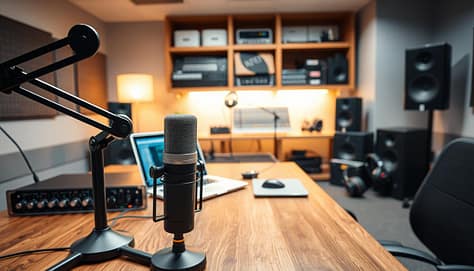
Your laptop’s microphone is unreliable, like a spring weather forecast. For clear audio, invest in dedicated equipment. It makes a huge difference in how you sound.
Where you record matters a lot. Choose a room with soft surfaces like carpets and curtains. Hard surfaces echo, making your voice sound far away.
| Microphone Type | Best For | Sound Quality | Price Range |
|---|---|---|---|
| USB Condenser | Home offices | Excellent clarity | $50-150 |
| Lavalier Clip-on | Movement while speaking | Consistent volume | $20-100 |
| Built-in Laptop | Emergency use only | Questionable at best | Free (but costly to your credibility) |
| Professional Dynamic | Studio recordings | Broadcast quality | $100-300 |
Good audio isn’t just about being heard. It’s about being believed. Clear narration makes your content more persuasive. For more tips, check out the AACVPR’s virtual presentation guide. Your audience will appreciate it, and your message will land.
Organizing Files for Access
Ever spent half your lunch break looking for a recording? It’s not just disorganization. It’s corporate purgatory. Your recorded presentations should be easy to find.
Your video library is like a high-security facility. Only authorized people get in. They find what they need quickly, without getting lost.
Cloud storage with encryption is key. It’s like the difference between leaving documents on a bench versus in a vault. The right platform keeps your content safe and accessible.
Your file organization system should be smart. Use folders by project, department, or date. Use clear names that everyone can understand.
Access control is important. It’s like giving keys only to those who need them. No more sharing sensitive info by accident.
Search functionality is the magic. Modern systems have timestamped transcripts and keyword search. Type “Q3 projections” and find that moment instantly.
Good organization means the right people find the right info at the right time. The wrong people stay in the dark. It’s about working smarter, not harder.
Best Platforms for Sharing
Sharing presentations has changed a lot. It’s now more like ‘click this link’ than ‘please find attached’. Modern platforms have made sharing presentations elegant.
Today’s top platforms do more than just share files. They create spaces for interaction and feedback. These platforms help ideas grow.
The best cloud sharing platforms offer more than storage. They provide:
- Seamless link sharing that even your least tech-savvy colleague can navigate
- Real-time comment and annotation features that turn monologues into dialogues
- View tracking that tells you who’s engaged and who’s just pretending
- Integration with tools like Microsoft Teams that fit into existing workflows
Automated distribution is where these platforms truly shine. They handle notifications when you upload new versions. No more “version 5_final_revised_actuallyfinal.pptx” situations.
The security features are impressive. Modern cloud sharing solutions offer control over who can view, comment, or download your content. You can set expiration dates on links or restrict access to specific domains.
What makes great platforms stand out? They handle both the technical and human aspects of sharing. The best services make sure everyone can view your slides, even your grandmother.
These platforms are like digital butlers. They don’t just deliver your message; they manage the conversation around it. In today’s hybrid work environment, that’s not just convenient; it’s essential.
Protecting Confidentiality
Ever feel like sharing your presentation is like handing your competitor the keys to your kingdom? That’s where digital security comes in. It’s like putting your intellectual property in a vault, not leaving it out for anyone to take.
Industry-grade encryption is like a digital one-way mirror. You can see out, but no one can see in. It’s so secure, even NSA analysts would approve.
Access controls work like a top-notch nightclub’s guest list. They decide who gets in and who doesn’t. It’s not about making life hard for your team. It’s about keeping outsiders out while letting insiders in easily.
Privacy settings keep your R&D presentation safe from prying eyes. You can control who sees what, when, and for how long. It’s the difference between a planned reveal and a leak.
Secure cloud storage is like a digital Fort Knox. It keeps your content safe while letting authorized team members access it. The best part is, security shouldn’t feel like a hassle. Your team should be able to get what they need without trouble.
Let’s be honest, nothing kills a competitive edge like sharing it with your rivals. Proper confidentiality measures keep your ideas safe. And most importantly, they keep them yours.
Inspiring Team Examples
Let’s look at real teams that have made presentation recording a key part of their success. These aren’t just stories from a corporate dream world. They are real teams that are changing the game of team collaboration.
Imagine a marketing team tired of weekly meetings. They started recording updates instead. This saved them 15 person-hours every week. That’s like saving 75 coffees from meetings about meetings.

The engineering team turned code reviews into fun, like watching sports. They use recordings to point out important parts and explain them. This makes “what were you thinking?” into a helpful conversation.
The sales team is another success story. They record presentations and use feedback features to make them better. It’s like a never-ending loop of improvement without needing more meetings.
These stories show that recorded presentations are more than just a convenience. They are a game-changer for remote teams looking to improve team collaboration through better workflows.
| Team Type | Challenge | Recording Solution | Time Saved Weekly |
|---|---|---|---|
| Marketing | Too many sync meetings | Recorded updates | 15 person-hours |
| Engineering | Tedious code reviews | Annotated recordings | 8 person-hours |
| Sales | Pitch refinement | Collaborative feedback | 12 person-hours |
| Design | Client approvals | Version comparisons | 10 person-hours |
The beauty is in the simplicity. These teams didn’t need to change much. They just started recording what they were doing. The tools they used became like a digital whiteboard, and feedback features replaced endless emails.
What’s your team’s biggest challenge in working together? Recording your meetings might be the smartest thing you haven’t tried yet.
Conclusion
Recording presentations makes them last forever. It’s like switching from single-use plastic to renewable energy for your ideas. The screen recorder acts as a time machine, letting colleagues go back to important moments anytime.
Good audio quality is key to getting your message across clearly. Organized files save you from the hassle of searching for important documents. Secure sharing platforms keep your data safe while reaching more people.
This isn’t just about keeping digital archives. It’s about creating knowledge ecosystems. Teams that record presentations well have a big advantage. They save a lot of time that would be lost in meetings and emails.
The future is for companies that see presentations as valuable assets, not just one-time events. Your recorded content can be easily found, shared, and grown. Start seeing your next presentation as a lasting part of your knowledge base.
The tools are available, and the benefits are obvious. The only thing left is to decide which presentation to record first.