
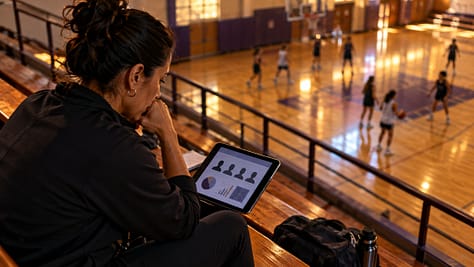
A coaching presentation can reveal more about a young athlete than the person creating it realizes. A game clip identifies a player by face or jersey number. A performance chart shows individual weaknesses. A recovery slide contains injury information. Even a routine team update can become a privacy problem when a link intended for coaches reaches parents, spectators, or the public.
Protecting youth athlete privacy does not mean abandoning video analysis, performance tracking, or digital presentations. It means deciding what information is necessary, who needs to see it, and how that information should be shared.
For youth sports coaches, school athletic departments, and community clubs, the most reliable approach is to separate private coaching materials from family updates and public presentations. One slideshow should not automatically serve every audience.
How Digital Coaching Changed the Privacy Problem
Coaches have always collected information about athletes. Paper attendance records, handwritten performance notes, scouting reports, and recorded games existed long before cloud presentations became common.
What changed was how easily those records could be combined and distributed.
A modern coaching deck might contain tactical diagrams, photographs, player statistics, GPS-based training information, video clips, and individualized feedback. Cloud collaboration allows several staff members to update the same presentation, while links make it possible to distribute the finished material instantly.
These tools can improve communication. They also reduce the effort required to share information beyond its intended audience.
Consider a routine post-game presentation. During a private film session, a coach highlights a defensive mistake, identifies the athlete involved, and explains how to improve the positioning. That may be appropriate within an authorized coaching environment.
If the same slide appears in a parent newsletter or public season recap, the context changes. What was instructional feedback becomes an identifiable public evaluation of a young person.
The underlying coaching information has not changed. The audience, purpose, and consequences have.
This is why presentation privacy should be addressed while building the deck, not merely when pressing the Share button.
What Information Deserves Protection?
Not all sports information creates the same level of concern.
A team photograph taken at a public event differs from an individual medical update. An anonymous tactical diagram differs from a named athlete evaluation. Coaches need to distinguish between these situations rather than labeling all team information either public or confidential.
Particular care is appropriate for:
- Identifying information: Full names, faces, contact details, jersey numbers combined with team rosters, and other details that can identify an athlete.
- Individual performance records: Private assessments, weaknesses, developmental targets, behavioral comments, and selection decisions.
- Health-related details: Injury status, recovery plans, medical information, and personal circumstances discussed during coaching.
- Location and activity information: Precise training locations, travel arrangements, location histories, and potentially identifying information generated by connected devices.
- Images and recordings: Game footage, changing-room or other private-area recordings, training videos, and photographs used outside their original purpose.
These categories overlap. A video can contain identifying information, performance data, and sensitive personal context simultaneously.
A useful editing principle is to ask whether the audience can understand the coaching message without seeing the athlete’s identity.
Often, it can.
Youth Athlete Privacy Rules: Schools and Clubs Are Different
Privacy responsibilities depend partly on the organization holding the information.
A school athletic department, independent sports academy, community league, and commercial coaching application may operate under different legal and contractual obligations.
When FERPA Matters for School Sports
The Family Educational Rights and Privacy Act, commonly called FERPA, protects certain student education records at covered educational institutions.
The distinction between an ordinary sports recording and an education record is important.
According to the U.S. Department of Education’s guidance on photos and videos under FERPA, a photograph or video generally qualifies as an education record when it is directly related to a student and maintained by an educational institution or someone acting on its behalf, subject to applicable exclusions.
That does not mean every photograph taken at a school sporting event is automatically a protected education record.
The Department explains that the purpose, content, and circumstances of the recording matter. A photograph showing students participating in a public sports event may be treated differently from a video maintained by the school to document a student’s injury or disciplinary incident.
For school coaches, this creates an important responsibility: the intended use of a recording can affect how it should be handled.
Before distributing identifiable school-held film or individual evaluations, coaches should follow the institution’s records, consent, directory-information, and disclosure procedures. FERPA provides rights to parents and eligible students, but those rights do not automatically require schools to distribute unrestricted copies of every video.
Private clubs should not assume that FERPA applies to them merely because their athletes are school-aged. Their obligations depend on their organizational status, applicable laws, agreements, and the information involved.
What COPPA Does and Does Not Cover
The Children’s Online Privacy Protection Act, or COPPA, addresses a different privacy issue.
Enacted in 1998, COPPA led to federal rules protecting personal information collected online from children under 13. The Federal Trade Commission has updated those rules as digital services and data practices have evolved.
The FTC’s COPPA compliance guidance explains that personal information can include children’s names, photographs, recordings containing their images or voices, and certain geolocation information.
COPPA primarily regulates covered website and online-service operators, including child-directed services that collect personal information and certain general-audience services with actual knowledge of collecting children’s information.
It is not a universal rule making every slideshow containing a child subject to the same consent requirements.
However, it becomes relevant when a youth sports organization operates or selects an online service that collects information from children. Coaches and administrators should examine how such platforms obtain consent, handle data, use service providers, and respond to deletion requests.
The practical lesson is to identify which legal requirements actually apply while adopting privacy safeguards even when a particular federal rule does not directly govern the activity.
A Three-Audience Rule for Coaching Presentations
The easiest way to prevent accidental oversharing is to stop treating the master coaching deck as the finished document for everyone.
Instead, create separate versions for three audiences.
| Audience | Appropriate presentation content | Information to keep out |
|---|---|---|
| Authorized coaching staff | Necessary individual coaching clips, tactical analysis, approved performance records | Information unrelated to the staff member’s responsibilities |
| Athletes and families | Team goals, schedules, group achievements, approved photos, general skill-development guidance | Other athletes’ private evaluations, medical details, confidential notes |
| Sponsors and the public | Aggregate results, program achievements, approved promotional material | Individual private performance records, sensitive athlete information, restricted footage |
This is a practical editorial framework, not a universal legal classification.
For example, an assistant coach may need to review an identifiable training clip to understand an athlete’s defensive movement. A sponsor interested in supporting the program typically needs evidence of participation, development opportunities, and community impact, not that player’s identifiable weaknesses.
The same coaching insight can be presented at different levels of detail.
A private staff slide might identify a player and describe a positioning error. A public slide could use an anonymous tactical diagram showing the positioning principle without exposing the individual.
Both communicate something useful, but only one needs personal information.
Build a Privacy-Safe Presentation Workflow
Good privacy practices are easier to follow when they become part of the team’s normal presentation routine.
1. Define the audience before collecting material
Start each presentation by identifying its purpose and intended viewers.
A private development review requires different material from an end-of-season celebration. Recording the intended audience early prevents coaches from filling a general-purpose deck with information that should remain restricted.
2. Collect only what the presentation needs
Do not automatically import an entire roster spreadsheet, a season’s worth of player tracking, or complete video files when the presentation needs only a few examples.
Use aggregate statistics when individual data adds nothing to the message.
When a tactical lesson does not require identification, replace names with position labels or neutral markers.
3. Confirm permissions for the intended use
Review the school’s or club’s photography, video, communication, and data-sharing policies.
Where permission is required, confirm what the existing authorization actually covers.
Permission to photograph an athlete at a tournament should not automatically be treated as permission to distribute medical information, publish an individual performance review, or upload footage into an unrelated third-party service.
Consider the athlete’s wishes as well as applicable parent or guardian permissions and organizational requirements.
4. Create separate internal and external versions
Keep the detailed coaching master separate from the public-facing copy.
This prevents accidental exposure of private comments, speaker notes, individual feedback, or restricted clips when a coach sends a presentation to a wider audience.
For teams developing collaborative workflows, Free Slideshows’ guide to cloud-based tools for collaborative sports presentations provides related background on editing roles, version control, and presentation security.
The important additional step for youth programs is to make privacy review a formal part of the version-approval process.
5. Check sharing permissions before sending links
In Google Slides and Google Drive, Restricted access limits files to people who have been granted permission. The Anyone with the link setting allows much broader access to anyone who obtains the link.
For confidential coaching material, use named recipients, appropriate viewer permissions, and organization-approved accounts where possible.
Check inherited folder permissions as well as the individual document’s settings. Limit editing rights to people who genuinely need them.
Restrictions on downloading, copying, or printing can reduce some forms of redistribution, but they cannot guarantee that a person who can view material will never record or share it another way.
A private link is an access-control measure, not a promise of permanent confidentiality.
6. Inspect the actual file, not just its visible slides
Before releasing a presentation, review:
- Speaker notes, comments, hidden slides, and embedded media.
- Photographs and videos that reveal names, faces, or private locations.
- File names, captions, and other identifying details.
- Exported PDFs or recordings for information unintentionally retained.
- Links to external folders and video libraries that may have different access settings.
Open the finished presentation from an account with the same permissions as its intended audience.
This is particularly important when a coach has access to several shared folders and may not notice that an embedded resource requires additional privileges or is open more widely than expected.
7. Review access after the presentation
Sharing should have an end point.
When a season finishes, a staff member changes roles, or a project ends, review who still has access to the material.
Remove access that is no longer needed and follow applicable retention schedules. Schools and clubs may be required to preserve certain records, so deleting everything immediately is not necessarily appropriate.
The objective is controlled retention, not indiscriminate deletion.
Make Game Film Useful Without Exposing Players
Game film is especially challenging because coaching value often comes from identifying individual actions.
The solution is not to remove every player from every recording. It is to decide when identification is educationally necessary and when it is not.
Imagine a basketball coach preparing a presentation about defensive rotations.
The internal version could show a short approved clip identifying the relevant athletes and explaining their individual responsibilities. The purpose is specific feedback within the authorized coaching group.
For a parent presentation, the coach could instead use a simplified half-court diagram, mark the intended rotation, and explain how the team is developing its collective defensive awareness.
The public version still communicates coaching progress. It simply does not expose an individual’s private performance assessment.
A similar approach works for soccer passing sequences, volleyball positioning, swimming technique, and other sports.
When video itself is essential, review the authorization and context of the footage. Blurring faces, cropping identifying details, or choosing alternative examples may help, but these changes should be checked carefully. A visible jersey number, spoken name, or other distinctive detail can still identify someone.
For an athlete’s individual development review, a private one-to-one discussion or properly authorized family meeting is often more appropriate than a broadly shared deck.
What Happens When a Presentation Is Shared Too Widely?
Mistakes can occur even when a program has policies in place.
A coach might send the wrong link, share an editable master instead of the approved family version, or discover that an old presentation remains accessible outside the organization.
The first priority is to limit further exposure. Where possible, restrict the file, remove unintended access, disable an inappropriate public link, and identify the material involved.
Next, follow the organization’s incident-reporting process. A school may need to involve its privacy officer or designated administrator. A private club should follow its safeguarding and data-handling procedures and obtain appropriate advice about any notification obligations.
Keep a factual record of what was shared, when the issue was discovered, which corrective steps were taken, and what remains uncertain.
Revoking a link does not remove copies or screenshots that others may already possess. Promising complete deletion without evidence would be misleading.
The longer-term response should examine why the mistake occurred. Was the master file too easy to share? Were permissions unclear? Was nobody responsible for reviewing the final audience version?
Improving those controls is more useful than relying entirely on individual memory.
Make Privacy Part of Team Communication Culture
Young athletes benefit when coaches explain how personal information will be used.
A short beginning-of-season discussion can establish which activities may be recorded, who reviews the recordings, how individual feedback is delivered, and when photographs or highlights may be shared publicly.
Families should know whom to contact when they have questions or want to raise concerns about an image or recording.
Coaches also need internal clarity. Staff should understand that access to a team platform does not mean every recording or performance note is suitable for redistribution.
This culture should be supported by practical safeguards. A good policy is easier to follow when the team’s presentation templates, folder permissions, and approval process already separate confidential coaching work from public communication.
Athletes should not have to choose between participating in useful coaching activities and being unnecessarily exposed to wider audiences.
Better Presentations Share the Lesson, Not Every Detail
Youth athlete privacy is ultimately a question of editorial judgment supported by appropriate organizational and technical controls.
Coaches should communicate enough information to make their teaching effective, while protecting details that the audience does not need.
That requires understanding the differences between school and club responsibilities, reviewing permissions, creating audience-specific versions, checking digital access, and managing files after their immediate purpose has ended.
A strong youth sports presentation is not the one containing the most individual data. It is the one that helps the intended audience understand the next step without compromising an athlete’s dignity, trust, or personal information.
The most useful question before sharing any slide is simple: Does this person need this information to act on the message?
If the answer is no, the detail probably belongs somewhere else.