

Remember the last team meeting where you could hear a pin drop? Or worse, the frantic scrolling of phones as you detailed the next big play?
The classic chalk-talk or bullet-point slideshow is as exciting as a stale trophy case. We’ve all been there.
But the game has changed. Today’s athlete isn’t just a passive viewer. They’re an immersed participant and a content creator by nature. They expect a seamless, unified digital experience.
This isn’t about replacing your coaching genius. It’s about amplifying it. Think of this as moving your playbook from the static page to the IMAX screen.
We’re going to explore why dynamic content is essential. It’s the core tool for building culture, clarifying complex strategy, and forging emotional connections. These connections turn a group of players into a legacy.
It starts with a simple shift in understanding. Your athletes don’t just want the data. They need to be shown, immersed, and involved. Your presentation platform is now your most dynamic assistant coach.
Why Use Video in Team Meetings?
Video can bridge the gap between what you say and what your athletes understand. You can describe a defensive rotation until you’re blue in the face. Or, you can show a 10-second clip where it works perfectly. Which one sticks?
Traditional methods like printed playbooks and chalkboard diagrams have big limitations. They take up space, offer shallow information, and are expensive to maintain. It’s like trying to stream a 4K game through a dial-up modem. It just doesn’t work.
Digital storytelling changes the game. It has unlimited capacity and multimedia richness. It’s not just about watching film. It’s about creating a mental blueprint. A study on football training found that video-based practice improves play selection accuracy because it replicates in-game scenarios—something static diagrams fail miserably at.
This is cognitive priming in action. Showing a clip of a perfect pick-and-roll isn’t just instruction; it’s installing software in your players’ minds before game day.
Video analysis offers immediate feedback and helps teams identify and correct flaws quickly. More importantly, training with video “offers a play view close to that seen in a game scenario.” This directly improves decision-making perception. You’re not just talking about the game; you’re simulating the chaos and speed of the real thing.
This approach transforms criticism from a personal critique into a tactical discussion. Instead of saying, “You missed the assignment,” you can show the exact moment the coverage broke down, then immediately cut to a clip of it working. The focus shifts from the player to the play.
| Aspect | Traditional Recognition (Chalkboard, Print) | Digital Video Storytelling |
|---|---|---|
| Information Depth | Shallow, static, abstract. Limited by physical space. | Deep, dynamic, concrete. Unlimited multimedia capacity. |
| Feedback Speed | Slow. Corrections require redrawing or re-printing. | Immediate. Pause, rewind, and annotate on the spot. |
| Cost & Maintenance | High. Physical materials, printing, storage, updates. | Low. Digital files are easily edited, duplicated, and shared. |
| Engagement & Retention | Low. Relies on imagination and note-taking. | High. Creates visceral, memorable mental blueprints. |
| Scenario Realism | Poor. Cannot replicate game speed or perception. | Excellent. Mirrors in-game visuals for better decision training. |
So, isn’t the old film session enough? Not really. A standalone film review is passive. Integrating video directly into your presentation narrative—creating what we can call sports video slides—makes it active and central. It evolves from being a mere illustration to becoming the core argument of your meeting. It’s the difference between describing a symphony and letting your team hear it.
Types of Effective Multimedia Content (Highlights, Tutorials, Motivational Clips)
Think of your multimedia tools as special weapons, each for a specific goal. The lazy coach just plays a full game tape. But the smart one picks and chooses. Your multimedia presentations should be precise, not a random attack.

Let’s look at the lineup. First, Highlights show what’s good and inspiring. It’s not just the winning shot. It’s also the perfect defensive move or the pass that led to a score.
Next, Tutorials are like detailed textbooks. Use software to highlight and explain the film. This turns watching into learning.
Then, Motivational Clips fuel your team’s spirit. Forget the cheesy speeches. Show a montage of hard work or a scene from Miracle that matches your team’s story. This touches hearts.
The secret is Behind-the-Scenes & Culture Clips. Show how a rookie is welcomed or a fun drill that went wrong. These moments show who you are, better than words. They can also highlight the small details that strengthen team identity, from rituals and locker-room moments to custom branded promotional merchandise that reinforces pride, unity, and a shared sense of belonging.
Don’t overlook photos. Photography Best Practices capture action and friendship. A single photo can be as powerful as a video.
Lastly, use Statistical Displays for the data lovers. Interactive boards or graphs make numbers tell a story. This convinces those who need to see it to believe.
| Content Type | Primary Purpose | Key Features | Real-World Example |
|---|---|---|---|
| Highlights | Provide evidence & model excellence | Short, focused on technique/hustle | Clip of a perfect pick-and-roll from practice |
| Tutorials | Build tactical IQ | Annotated footage, direct coaching voiceover | Screen recording breaking down defensive rotations |
| Motivational Clips | Fuel emotional buy-in | High-energy editing, powerful music/speech | Montage of offseason grind set to a pump-up song |
| Behind-the-Scenes | Build team culture & identity | Candid, authentic, often unpolished | Phone video of a team meal or inside joke |
| Data Visualization | Persuade through analytics | Clean graphs, interactive elements | Chart showing shooting percentage improvement |
Mixing these types makes your team meetings engaging. You’re not just showing videos; you’re creating multimedia presentations that hit home on many levels.
Embedding and Playing Videos in Common Software
The best highlight reel is useless if your software can’t handle it. In a dynamic coach meeting, nothing kills the vibe like buffering or “file not found” errors. Your software must let you play videos smoothly. Anything else is just amateur.
PowerPoint & Google Slides: The Old Guard Gets an Upgrade
PowerPoint and Google Slides are the veterans. They’ve been around for years and have learned a lot. The key is to avoid shaky web links during your presentation.
For PowerPoint, embed the video in the presentation itself. This makes it work on any device. Go to the Playback tab to set how the video plays. You can even make it loop. For more info, check out this guide on how to embed a video in.
Google Slides is cloud-based. Host your video on Google Drive and add it from there. It’s more reliable than a YouTube link. The goal is to make the video a key part of the slide.
Keynote: The Design-Conscious Choice
Keynote is like a sleek electric car. It’s all about design. Use its tools to make video a natural part of your slide, not a clunky rectangle. Its animations and transitions are smooth, making your content feel intentional.
Canva: The Disruptive Rookie
Canva is like the surprise star. It’s great for creating beautiful presentations. Embedding video is easy, and it blends well with text and graphics. It’s perfect for those who value looks and ease.
There’s a universal rule: test everything on the actual display system before the team walks in. Your tech check is essential. It keeps your meeting smooth and focused.
Tech Tips for Seamless Presentation
Your playbook is ready, and your sports video slides are set. But, a technical glitch can ruin everything. The right tech can make your presentation shine. Let’s get your tech ready for the big game.
First, check your hardware. A weak laptop can mess up your presentation. Make sure it can handle HD videos smoothly. Think of it as your quarterback.
Sound is also key. Don’t use weak laptop speakers for your videos. A portable Bluetooth speaker can make a big difference.
Next, choose the right file format. MP4 is the best for all platforms. Avoid formats like .MOV or .AVI. They might not work on presentation day.
Internet access is important. For videos you’ve downloaded, you’re good to go. But for live streams, you need a strong connection. Always have a backup plan for when Wi-Fi fails.
Control is essential. A wireless presentation clicker lets you move freely. It keeps your presentation smooth and engaging.
This is more than just avoiding problems. It’s about making your presentation run smoothly. A smooth show keeps everyone focused on your message.
| Component | The MVP (Most Valuable Player) | The Benchwarmer (To Avoid) |
|---|---|---|
| Hardware | Laptop with dedicated graphics; External Bluetooth speaker. | 5-year-old budget laptop; Built-in laptop speakers for a large room. |
| File Format | MP4 (H.264 codec) – Universally compatible. | .MOV, .AVI, or rare codecs that require special players. |
| Connection | Wired Ethernet for streaming; Downloaded local files as backup. | Relying on public or overloaded Wi-Fi with no Plan B. |
| Control | Wireless presentation clicker with laser pointer. | Mousing over the laptop or using the arrow keys. |
Mastering these tech tips ensures your presentation runs smoothly. It’s ready for any setting, from the team room to online. Now, it’s time to run your tech rehearsal.
Best Free Video Resources
Smart coaches and presenters don’t need a big budget. They know where to find free, high-quality resources. A great multimedia presentation shows you’re smart, not rich.
You need tools for editing, screen recording, finding b-roll and audio, and adding graphics. Learn these skills and your videos will look amazing without costing anything.
First, editing and clipping. Forget about iMovie. For top-notch editing, DaVinci Resolve is the best. It’s like finding a Ferrari ready to go.
For quick edits, use Kapwing or Clideo. They’re easy to use and don’t require downloads.
To record your screen, try OBS Studio. It’s free and used by pros. Or, use your computer’s built-in tools for a simple fix.
For mood and story, use stock footage and music. Pexels and Pixabay have lots of free videos and music. They help make your presentations feel like movies.
For graphics and text, Canva’s free version is great. It helps you make animated titles and more. It makes your presentations look professional.
The key is to use these tools well. They add polish and story to your videos. Your audience will notice, even if you spent nothing.
FAQ
The path to dynamic coach meetings is filled with good intentions and excuses. It’s time for a reality check. Let’s look at the four main mental blocks coaches face.
| The Old Excuse | The New Reality | The Core Principle |
|---|---|---|
| “This takes too much time to prepare.” | Strategic clipping saves more time than it costs. One key play is a start. | Efficiency through precision. |
| “My athletes won’t pay attention.” | A 2-minute targeted video replaces 10 minutes of lecture. Potency beats duration. | Earned engagement. |
| “The tech is too complicated.” | Complexity is a choice. Start with embedding in Slides, not editing a masterpiece. | Progress over perfection. |
| “They’ll just tune out and watch.” | Video is a discussion catalyst, not a movie. Pause it. Ask “What did you see?” | Active analysis. |
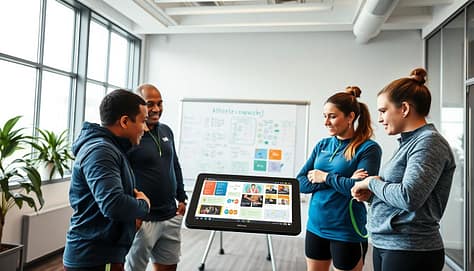
“This takes too much time to prepare.” Does winning take time? The answer is simple. Start small. Clip one key play from practice. Let a tech-savvy assistant or captain help. The 10 minutes you spend preparing now saves an hour of confusion later.
“My athletes won’t pay attention to a longer presentation.” But you’re not making it longer. You’re making it sharper. A two-minute highlight of a mistake is more effective than a long talk. You earn their attention with relevance and multimedia.
“The tech is too complicated for me.” This is the 21st century. Your phone is more powerful than the computer that sent Apollo 11 to the moon. Start simple. Master embedding a YouTube clip in Google Slides before you dive into complex editing. The goal is to communicate better, not to make a film.
“Won’t they just tune out and watch the video?” Only if you let them. The video is just the start. Pause it and ask questions. “What was the spacing here?” “Why did this pass work?” Make them the analysts. This turns passive viewing into active learning, the heart of a dynamic coach meeting.
Conclusion
Let’s cut through the pixelated noise. This was never about hitting ‘play.’ It’s about pressing ‘record’ on a legacy.
Those highlight reels you stitch together are your team’s living memoir. They’re the proof of sweat turning into story. Your mission is to create experiences that inspire and preserve athletic legacy.
Think of yourself as a director, not just a coach. Your film set is the locker room. Your audience is a squad waiting to see their hero’s journey. This is how you build loyalty and set new standards.
So, are you a distributor of information or a curator of culture? The right highlight reels answer that question before it’s even asked. They provide the storytelling that builds emotional connection.
The final buzzer on boring presentations has sounded. Your clicker is your new whistle. Command the room.